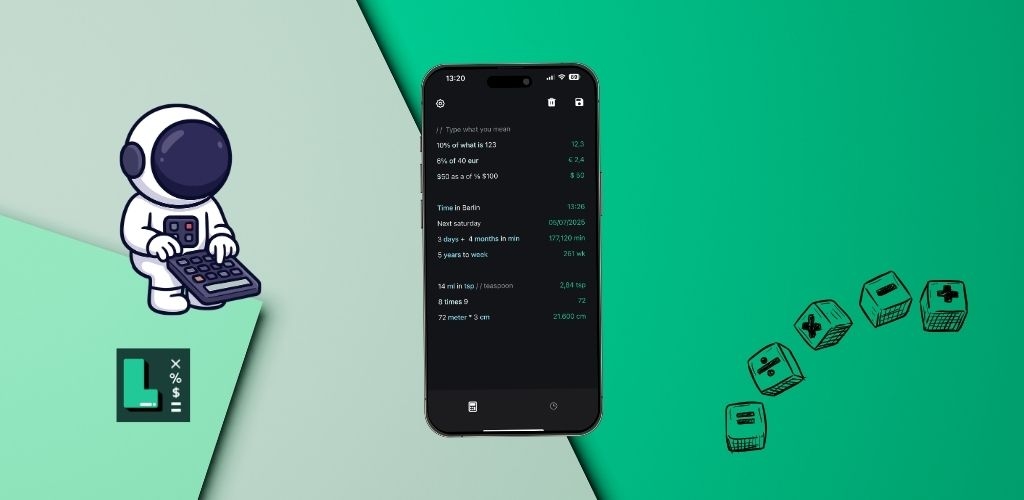
In an era of feature-bloated apps and overwhelming digital interfaces, there's a growing movement toward digital minimalism: using technology intentionally and keeping only what adds value to our lives. When it comes to calculations, sometimes the simplest tool is the most powerful.
The Problem with Feature Overload
Modern productivity apps often suffer from feature creep. What starts as a simple tool becomes bloated with dozens of features you'll never use. This creates several problems:
- Cognitive Overwhelm: Too many options slow you down and make simple tasks complicated
- Steep Learning Curves: You spend more time learning the tool than using it effectively
- Distraction Risk: Extra features pull your attention away from the task at hand
- Performance Issues: Heavy apps drain battery and slow down your device
What Makes a Calculator "Minimal"?
Digital minimalism isn't about having fewer features. It's about having the right features that work seamlessly together. A minimal calculator should:
Focus on Core Functionality
Start with what people actually need for daily calculations: basic math operations like 5 + 3, 4 * 7, and 20 / 4. Everything else should enhance these core functions, not distract from them.
Work with Natural Thinking
You shouldn't need to translate your thoughts into a complex interface. Type naturally: 30 CAD + 5 USD - 7EUR in USD for currency calculations, or 32°F in celsius for temperature conversions.
Eliminate Unnecessary Steps
Every tap, swipe, or menu navigation adds friction. A minimal calculator removes these barriers. Use prev * 0.95 to work with previous results instead of copying and pasting.
The Psychology of Simple Tools
Research in psychology and design shows that simpler tools often lead to better outcomes:
🧠 Experience the psychology of simplicity - try LetsCalc's minimalist approach!
Download LetsCalc and start calculating for free


Reduced Decision Fatigue
Every choice we make depletes mental energy. When a calculator offers 20 buttons and 10 menu options, you waste cognitive resources deciding which to use. A text-based approach eliminates this entirely.
Flow State Preservation
Interrupting your workflow to figure out a complex interface breaks your concentration. Simple tools let you stay in flow, whether you're calculating 20% of $10 for a tip or 100 kg in pounds for a recipe.
Lower Barrier to Entry
If a tool is easy to start using immediately, you'll actually use it. No tutorials, no onboarding, just type what you need.
Real-World Benefits of Minimalist Calculations
Speed and Efficiency
Without hunting through menus or remembering button sequences, calculations happen instantly. Type 20 km in miles and get your answer immediately.
Better Organization
Use simple formatting to stay organized without complex project management features:
- Headers:
# Monthly Budget - Comments:
// Groceries - Quick totals:
sumoraverage
Cross-Context Utility
A minimal tool works everywhere. Whether you're splitting a restaurant bill, planning travel with London time, or converting 2 ^ 3 for homework, the same simple interface handles it all.
What About Advanced Features?
Minimalism doesn't mean sacrificing power. The best minimal tools pack sophisticated functionality into a simple interface:
Smart Defaults
Advanced features work automatically without manual configuration. Currency conversions use real-time rates. Date calculations understand context from phrases like Today and Tomorrow.
Progressive Disclosure
Complex features appear only when needed. Basic math like 5 + 3 just works. Advanced functions like sqrt 16 or sin 45° are available but don't clutter the interface.
Powerful Combinations
Simple features combine naturally. Store a value with v = 20, use it with v times 7, or chain calculations with prev.
Choosing Minimalist Digital Tools
Beyond calculators, the principles of digital minimalism apply to all your tools:
- Does it solve one problem well? Avoid Swiss Army knife apps that do everything poorly
- Can you start using it immediately? If you need a tutorial, it's probably not minimal
- Does it respect your time? Good tools get out of your way quickly
- Can you export your data? Don't get locked into complex ecosystems
- Does it work offline? True utility doesn't depend on constant connectivity
The Freedom of Simplicity
When your tools are simple, you gain mental freedom. Instead of wrestling with software, you focus on your actual goals. Instead of maintaining complex systems, you just get things done.
A calculator that understands $30 in Euro or 48 hour + 4 hour without menus, modes, or manual conversions doesn't limit you. It liberates you. You think about the problem, not the tool.
Practical Steps Toward Digital Minimalism
1. Audit Your Tools
Which apps do you actually use regularly? Which features within those apps do you use? Eliminate what doesn't serve you.
2. Test Simpler Alternatives
Try replacing complex tools with minimal ones for a week. You might discover you don't miss the extra features.
3. Focus on Text
Text-based interfaces are often more minimal and powerful than graphical ones. They're faster, more flexible, and easier to learn.
4. Value Your Attention
Every notification, every menu, every popup fragments your focus. Choose tools that respect your attention as a finite resource.
The Bottom Line
Digital minimalism isn't about using less technology. It's about using technology intentionally. A simple calculator that lets you type 20% of $10 or 100 kg in pounds naturally isn't limiting. It's empowering.
By choosing tools that work with your thinking rather than against it, you reclaim mental energy for what actually matters. Sometimes the most sophisticated solution is the simplest one.
Experience the freedom of minimalist calculation. A simple, powerful tool that works the way you think.
Start using LetsCalc for free - no signup required