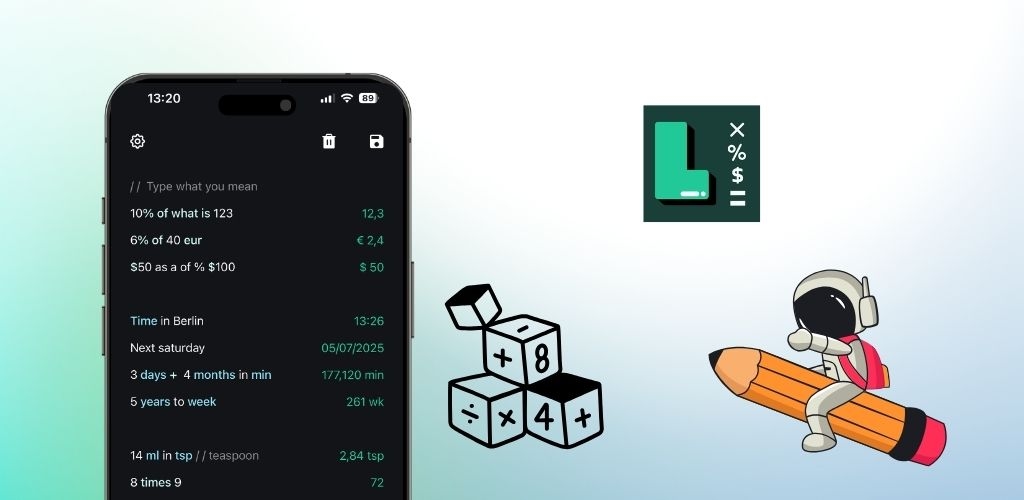
Whether you're a student, professional, or someone who frequently works with numbers, knowing the right calculator shortcuts can dramatically improve your efficiency. LetsCalc offers powerful shortcuts and techniques that can transform how you approach calculations. Here's your complete guide to becoming a calculator power user.
Essential Keyboard Shortcuts
Speed up your calculations with these fundamental shortcuts that every LetsCalc user should master:
Basic Operation Shortcuts:
- Quick calculations: Type
5 + 3,10 * 2,20 / 4for instant results - Power operations: Use
2 ^ 3for exponents orsqrt 16for square roots - Percentage shortcuts:
20% of 100or15% * 200for quick percentage calculations - Previous results: Type
prevto reference your last calculation result
Advanced Variable Techniques
Variables are one of LetsCalc's most powerful features for complex calculations:
💡 Pro Tip: Master these variable techniques with LetsCalc!
Download LetsCalc for free
 App Store
 Play Store
Variable Shortcuts:
- Store values:
price = 100to save important numbers - Reuse variables:
price * 1.18to add tax to stored price - Multiple variables:
tax = 18%, thenprice * (1 + tax) - Complex formulas:
total = price + (price * tax)for detailed calculations
Currency Conversion Power Tips
Master international calculations with these currency shortcuts:
Currency Shortcuts:
- Quick conversions:
$100 in EURfor instant currency conversion - Multi-currency math:
50 USD + 30 EUR in GBPfor complex calculations - Shopping comparisons: Store prices in variables:
us_price = 60 USD in EUR - Travel budgets:
hotel = 150 EUR,food = 50 USD,hotel + food in USD
Unit Conversion Shortcuts
Convert units instantly without memorizing conversion factors:
Unit Conversion Tips:
- Temperature:
32°F in celsiusor100°C in fahrenheit - Distance:
100 km in milesor5 miles in km - Weight:
75 kg in poundsor150 lbs in kg - Area:
100 sq ft in sq mfor space calculations
Time and Date Calculation Shortcuts
Handle time-related calculations with natural language:
Time Shortcuts:
- Current time:
London timeorNew York time - Time zones:
3 pm EST in PSTfor meeting coordination - Duration:
2h 30m + 1h 45mfor time additions - Date references:
Today,Tomorrowfor quick date access
Mathematical Function Shortcuts
Access advanced mathematical functions with simple commands:
🧮 Ready to explore advanced math functions?
Get started with LetsCalc - completely free
Function Shortcuts:
- Roots:
sqrt 25orroot 3 (27)for cube roots - Trigonometry:
sin 30°,cos 45°,tan 60° - Logarithms:
log 100orln 2.718 - Rounding:
round 3.14159orceil 2.1
Organization and Productivity Shortcuts
Keep your calculations organized and accessible:
Organization Tips:
- Headers:
# Monthly Budgetto organize sections - Comments:
// Rent paymentto add context - Labeled calculations:
$1200 // Rentfor clear records - Sum functions:
sumto total all numbers above
Large Number Shortcuts
Work with large numbers efficiently using abbreviations:
Large Number Tips:
- Thousands:
$5kautomatically becomes$5,000 - Millions:
2.5M EURexpands to€2,500,000 - Billions:
1.2B USDbecomes$1,200,000,000 - Mixed calculations:
5k + 2.5Mfor complex financial calculations
Pro Tips for Maximum Efficiency
Workflow Optimization:
- Chain calculations: Use
prevto build on previous results - Save frequently used values: Store tax rates, exchange rates as variables
- Use natural language: Type calculations as you would speak them
- Combine features: Mix currency conversion with percentage calculations
Real-World Power User Scenarios
Scenario 1: International Business Deal
# Deal Analysisbase_price = 50k EURcommission = 5%total = base_price * (1 + commission)total in USD
Scenario 2: Travel Budget Planning
# Europe Trip Budgetflight = 800 USDhotel = 150 EUR * 7// 7 nightsfood = 50 EUR * 7total_eur = hotel + foodflight + total_eur in USD
Advanced Shortcuts Summary
Master these shortcuts to become a LetsCalc power user:
- Use variables for complex, multi-step calculations
- Combine currency conversion with mathematical operations
- Leverage natural language for intuitive input
- Organize calculations with headers and comments
- Chain results using
prevfor efficient workflows - Use abbreviations (k, M, B) for large numbers
- Access advanced functions with simple commands
These shortcuts will transform your calculation experience from basic arithmetic to powerful, intelligent computing. The more you practice these techniques, the more natural and efficient your workflow will become.
Ready to become a calculation power user? Download LetsCalc and start using these advanced shortcuts to boost your productivity.
Download LetsCalc and start calculating for free